AutoNotes is growing from an AI scribe for therapists into a platform for running the whole practice. I joined as part of their team, in their planning and their codebase, and helped shape that growth so it stays simple for the clinicians who use it every day.
- How it worksAutoNotes started as an AI scribe for therapists. A clinician captures the session however suits them: a typed summary, dictation, a live recording or an uploaded file.The scribe turns it into a structured clinical note, such as SOAP, for them to review and sign.
- ProblemIt worked, and it built a loyal user base. Then the large EHR platforms began adding AI scribes of their own. A clinician who already runs their practice in an EHR now got a scribe inside it, and a standalone scribe turned into a feature someone else could bundle.
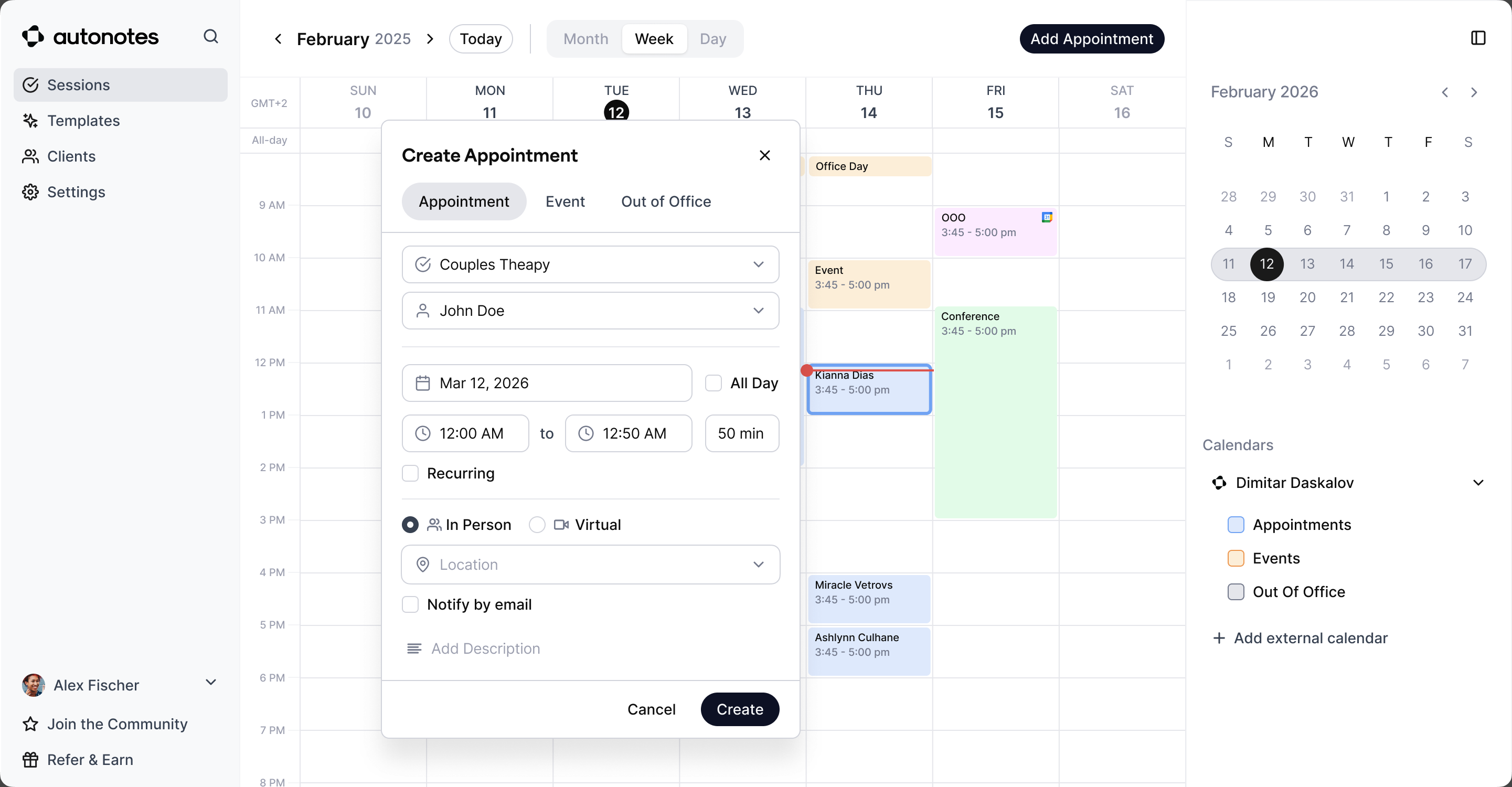
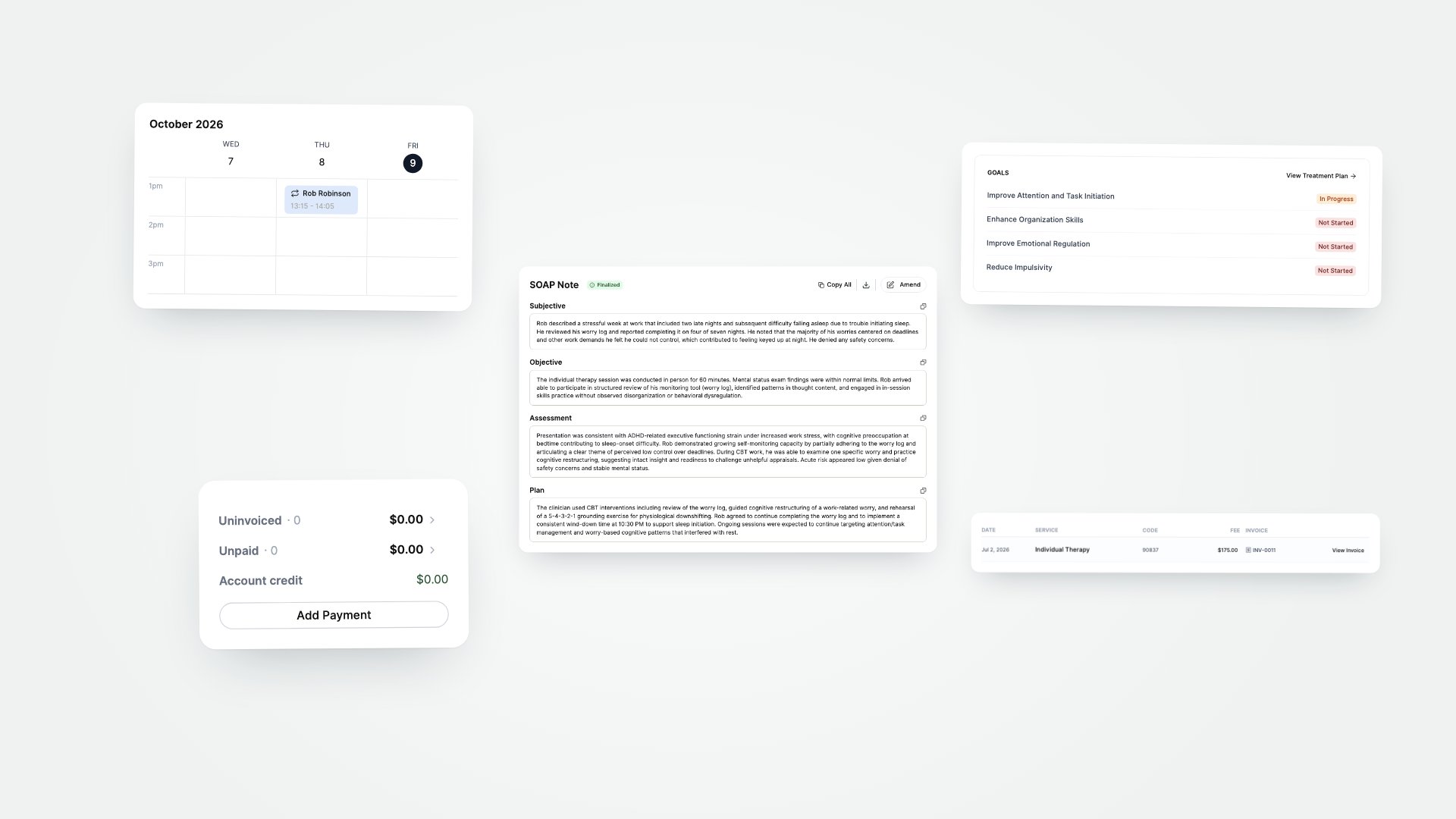
- DirectionKeep the scribe at the centre and build the practice around it: scheduling, full client charts, intake, telehealth, billing and reporting.Every new part connects back to the note. A session is booked in the calendar, written up in the composer, signed off in the note view and invoiced from there. The scribe still works on its own for clinicians who keep their EHR, and the platform grows around it one plan at a time.
One product, two ways in
As more of the EHR came into the product, two groups of users became clear. Some only wanted the scribe: good notes, next to whatever system they already used. Others wanted to run their whole practice in AutoNotes, an EHR led by AI and built around the note.
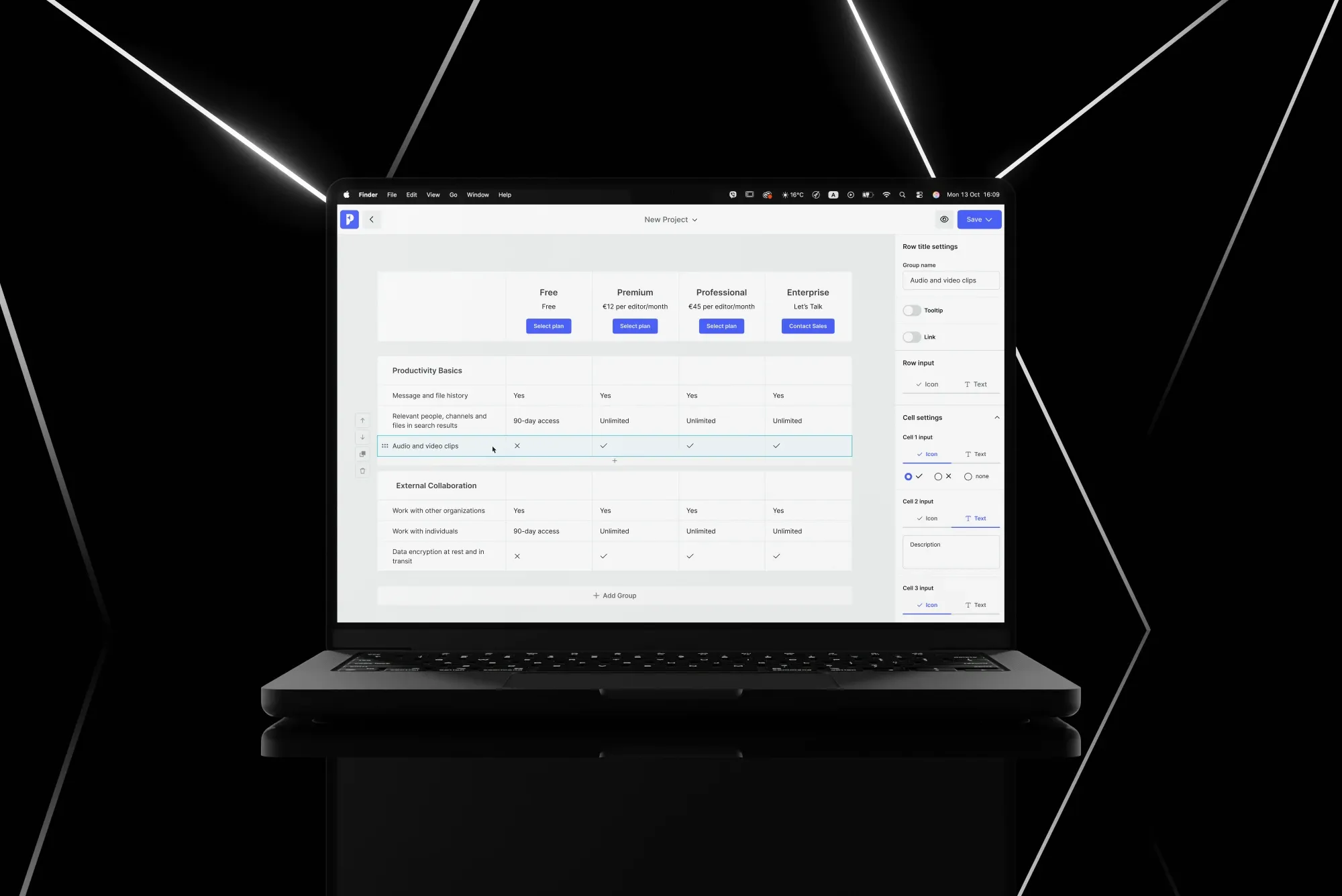
I proposed serving both from one product: one codebase, two ways in. The team built its new pricing on that split. Scribe users get the scribe and their clients “without forcing an EHR switch”. Practice users get the rest, which is where most of the value sits: scheduling and calendar sync, smart treatment plans, a golden thread that carries what was said from one session to the next, and invoicing.
It also fixed something clinicians had been feeling for a while: they were paying for features they never used. Now each group pays for what it uses, and every screen had to make sense on both sides.
Simplifying the basics
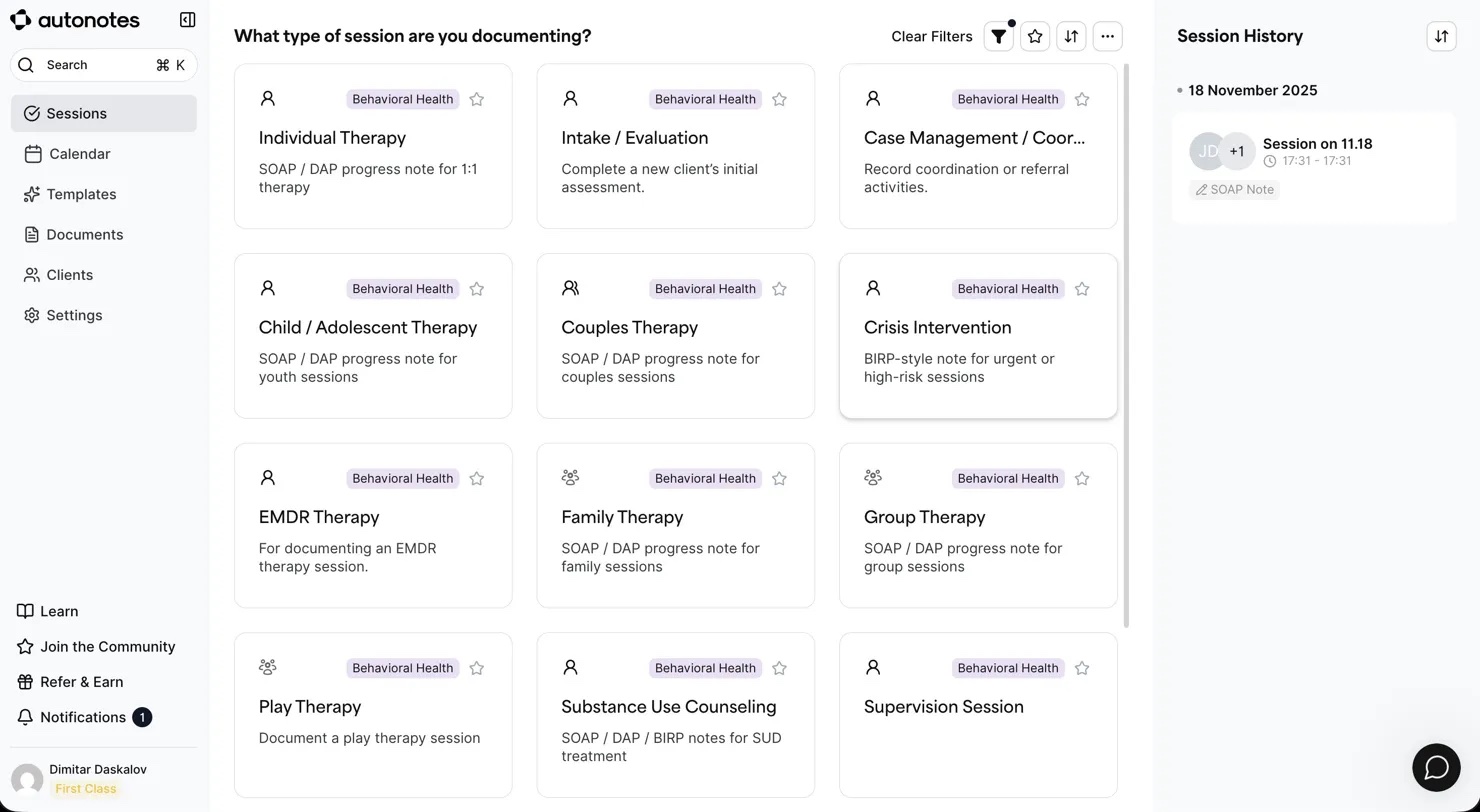
Both groups start in the same place: a session and its note. So before adding more, we reworked the main flows to suit both, the clinician who only wants the note and the one who carries it on to billing and the next session.
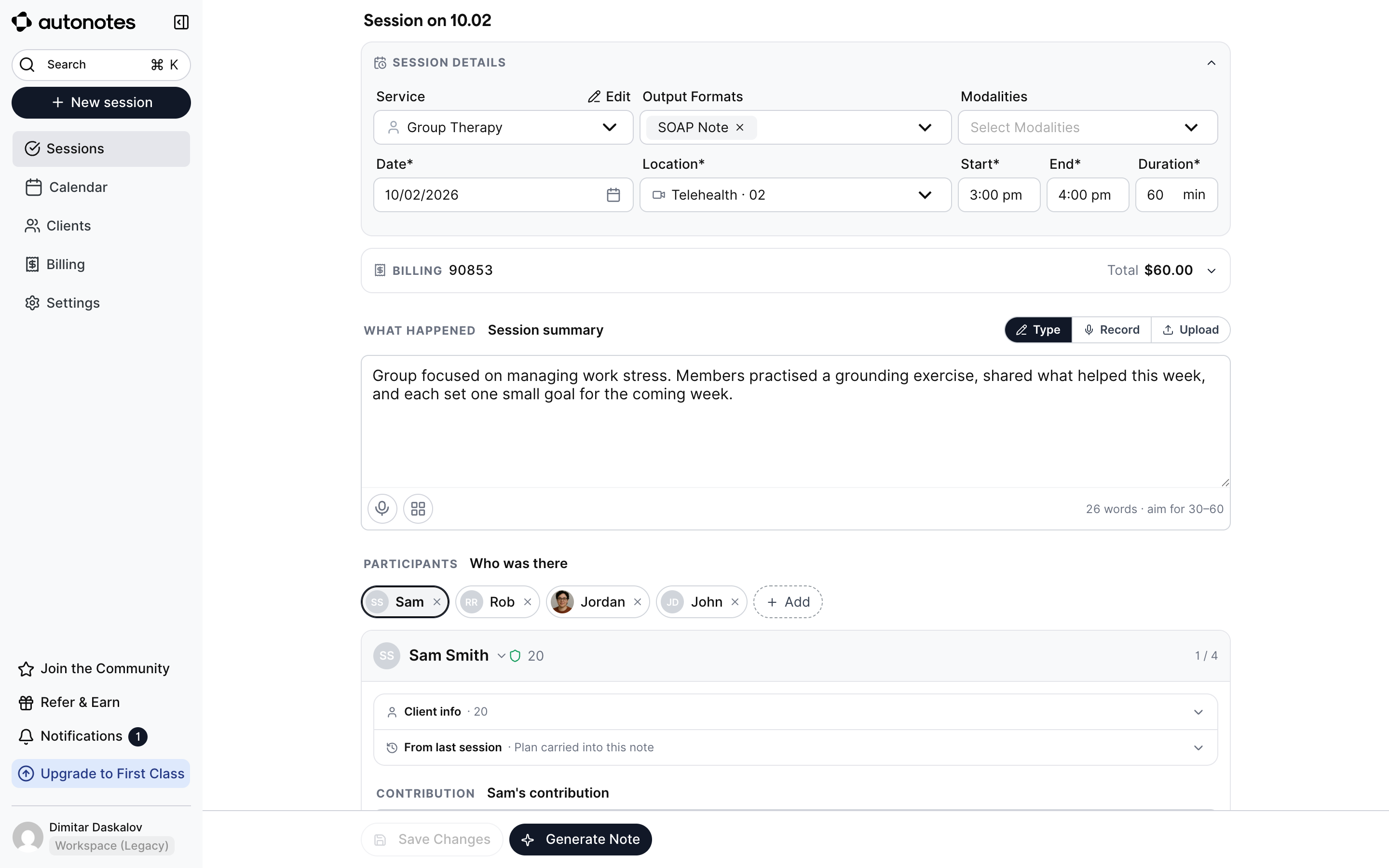
Before, a note took four steps: choose the session type, choose the capture method (write, record or telehealth), enter the session, get the note. Now it is one screen and the result: the session is written or recorded in place, and the recorder is a section you switch on, not a separate path.
The note view follows the same logic: one status vocabulary, Finalize as the clinician’s sign-off, and a footer that carries the user from Finalize to Create invoice to the next session. That footer is where the scribe meets the platform.
 1
1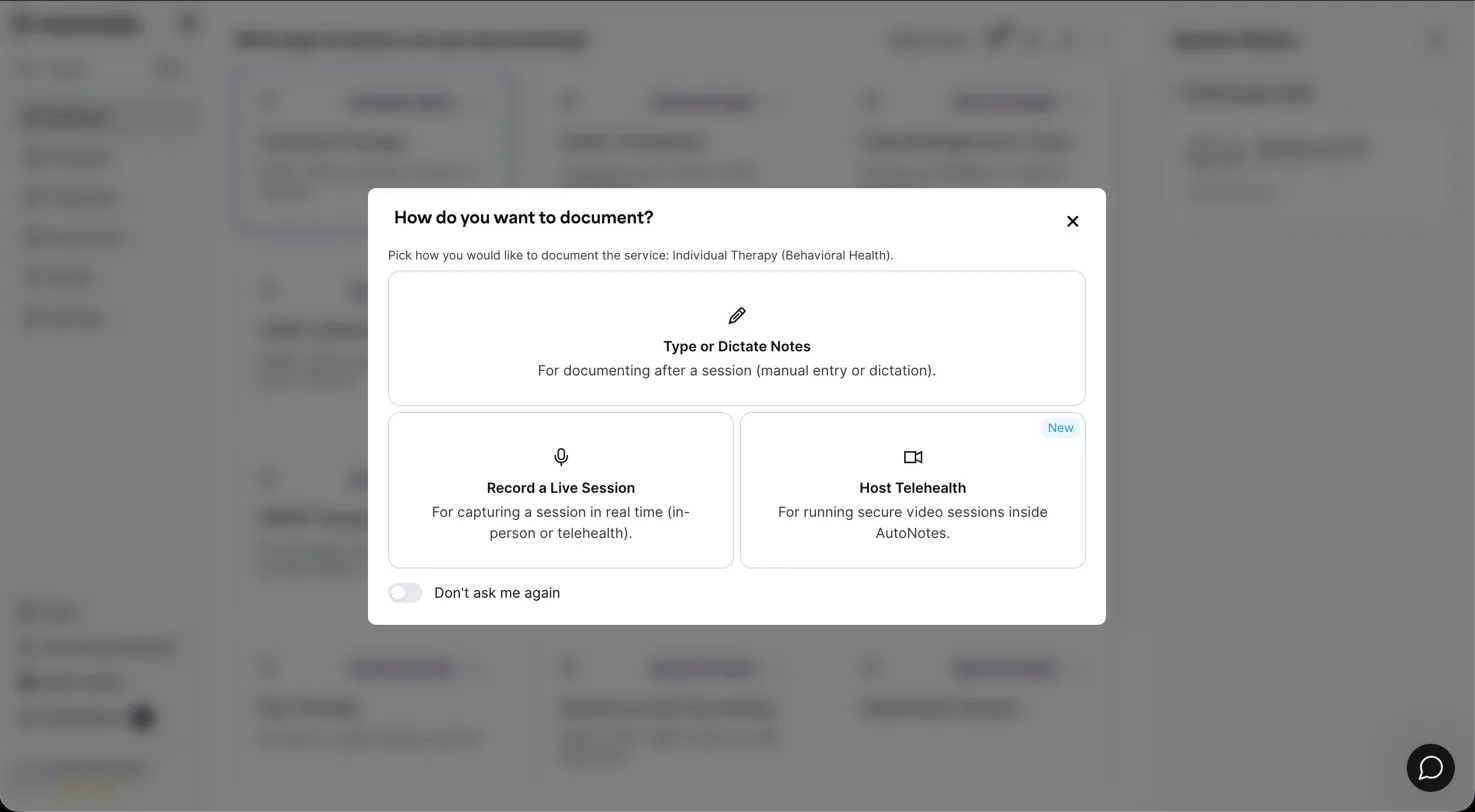 2
2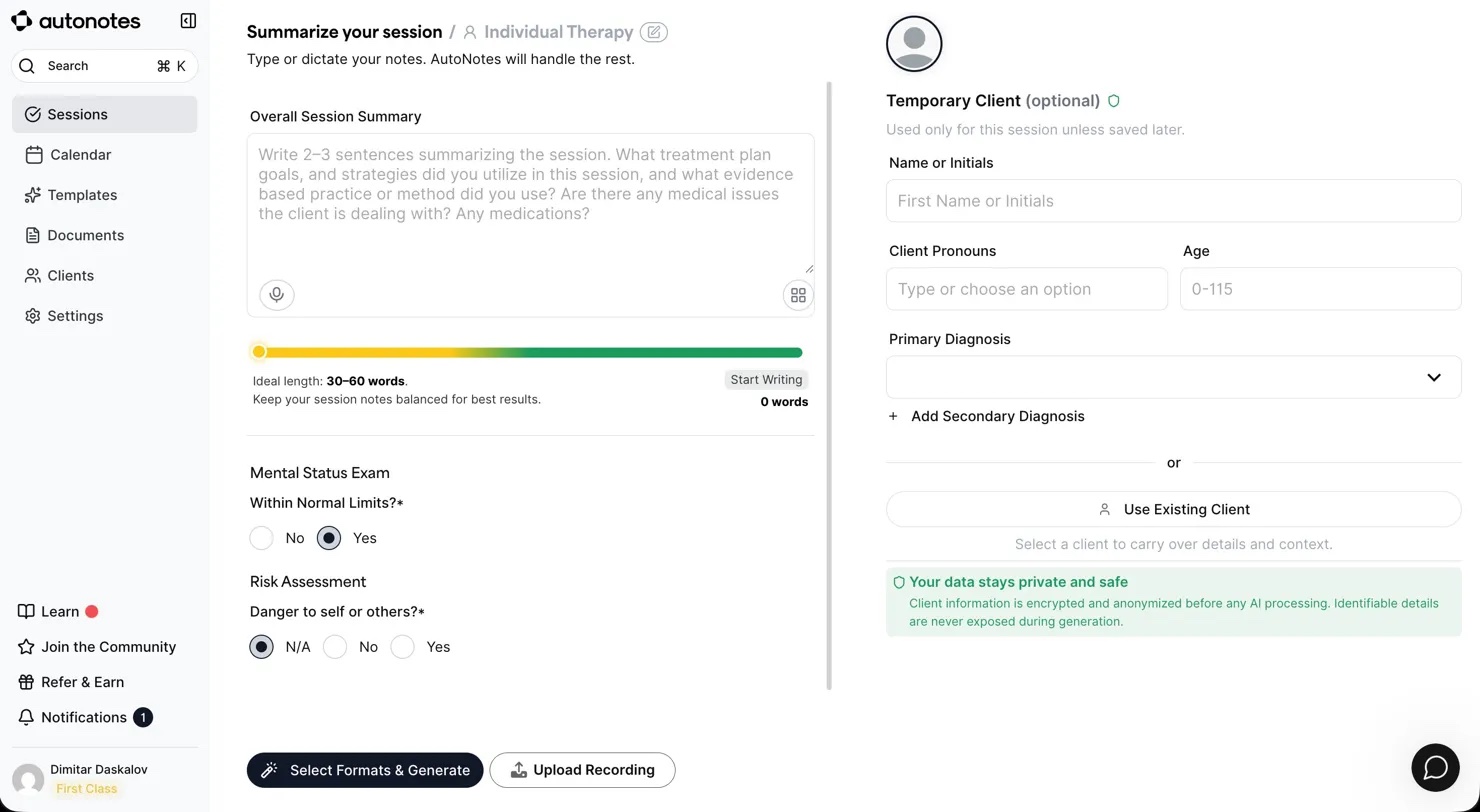 3
3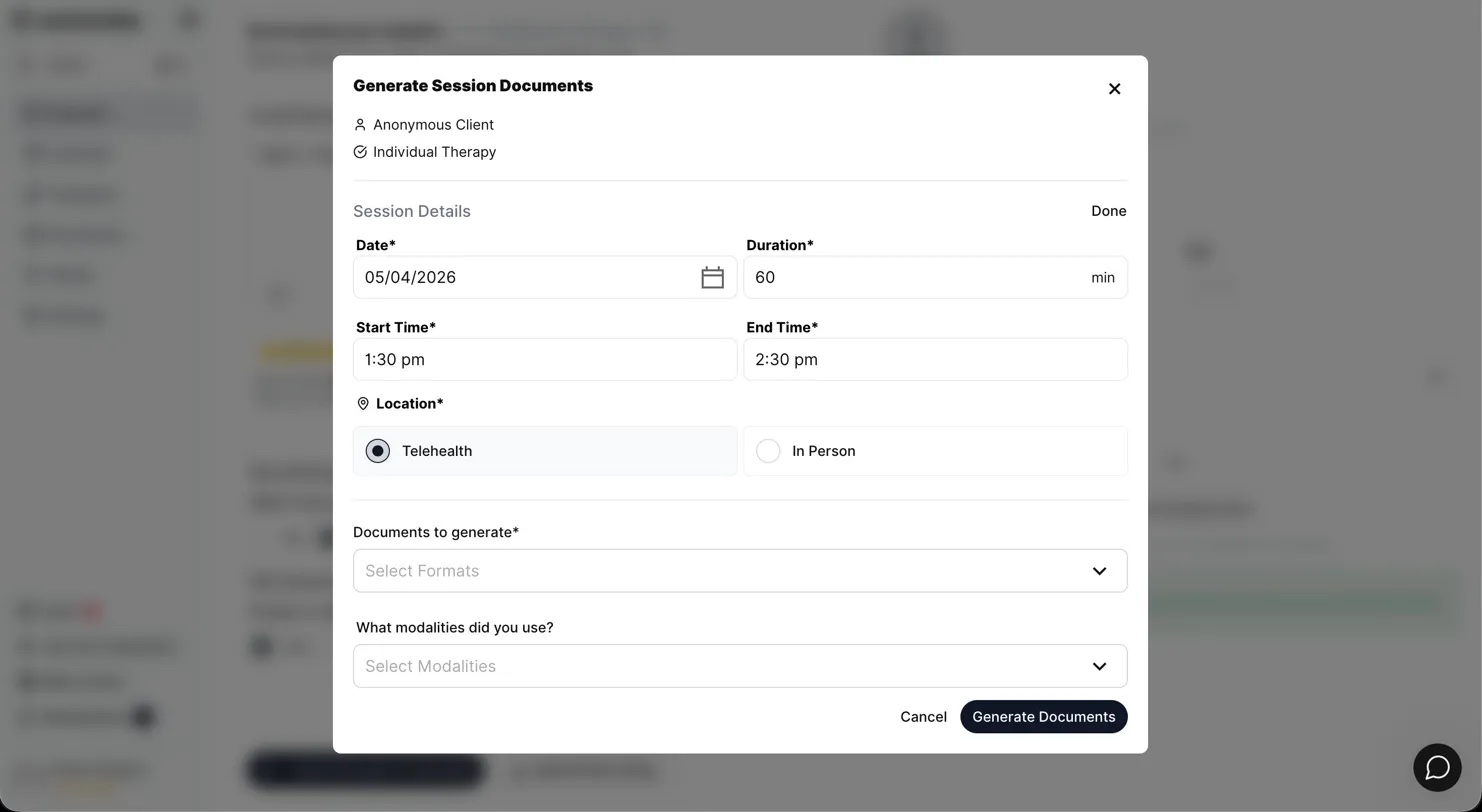 4
4
 1423
1423Handed over as a merge request
For the developers, a design from me arrived as a merge request, not a file. They reviewed the actual front end, on their own components, with the phone layout already done, and chose whether to merge it, take parts of it or rebuild it on their base.
That only works if the prototypes speak the codebase’s language and follow the platform’s patterns, constraints and flows. I built a design.md library from a crawl of the repo’s components and kept the product and user context in the same project, so every prototype started from the real parts and the real rules.
- One screen replaces the four-step flow
- The recorder is a section, not a separate path
- Group sessions: one note per participant
- Billing codes carry over to the note view
- Built on the existing components
- Phone layout included
- Verified on staging
src/pages/Sessions/…src/components/…src/pages/Scheduling/…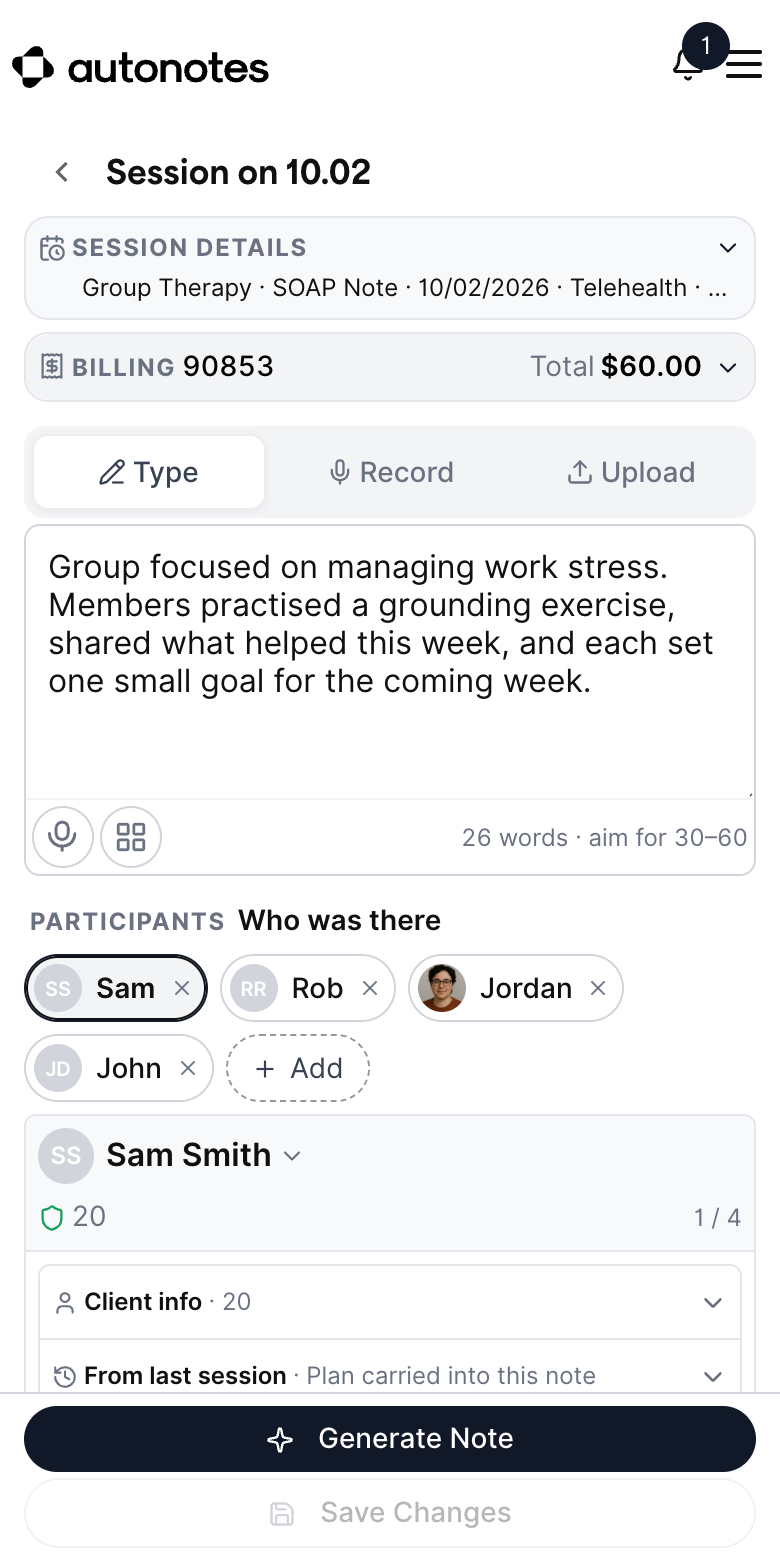
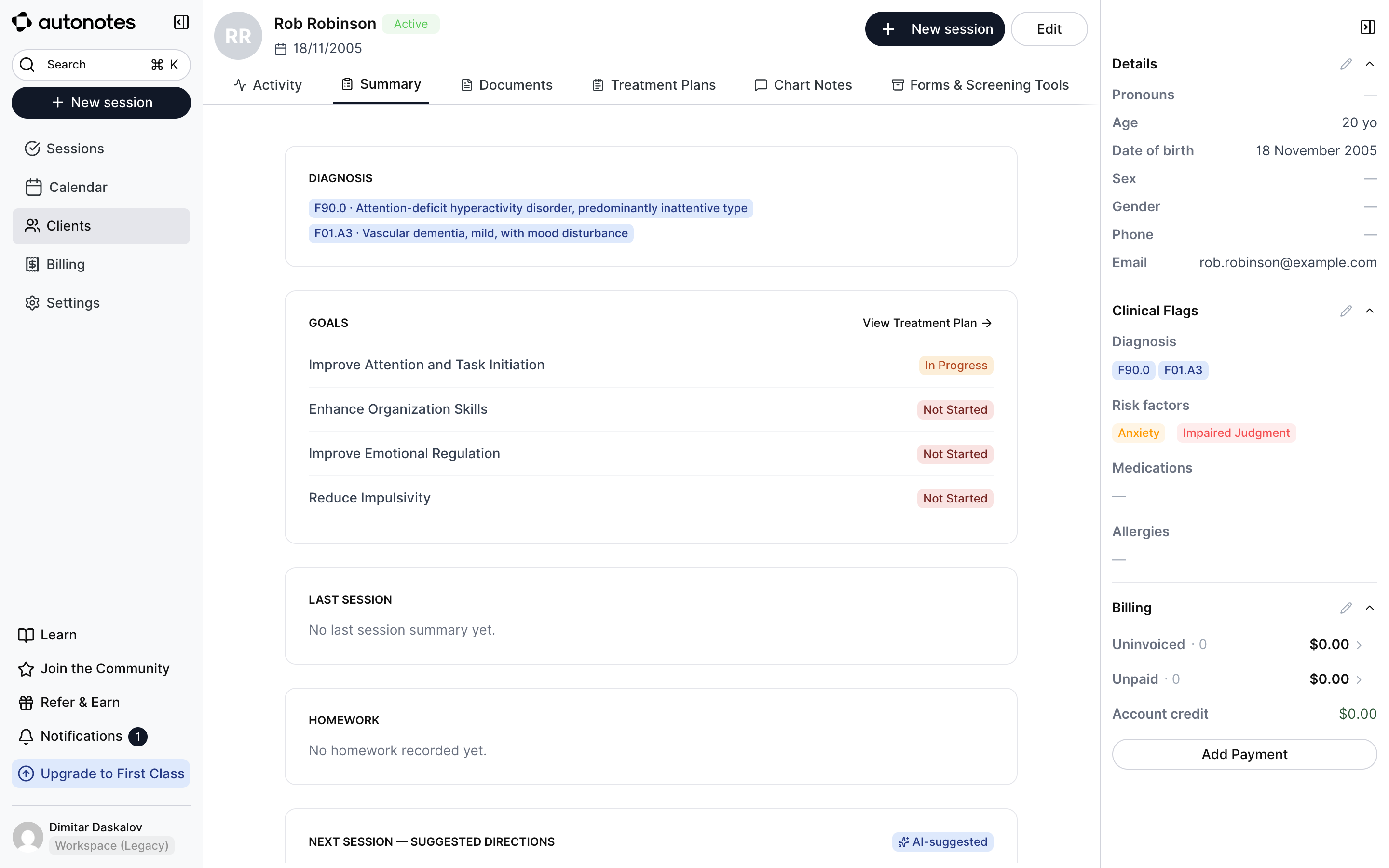
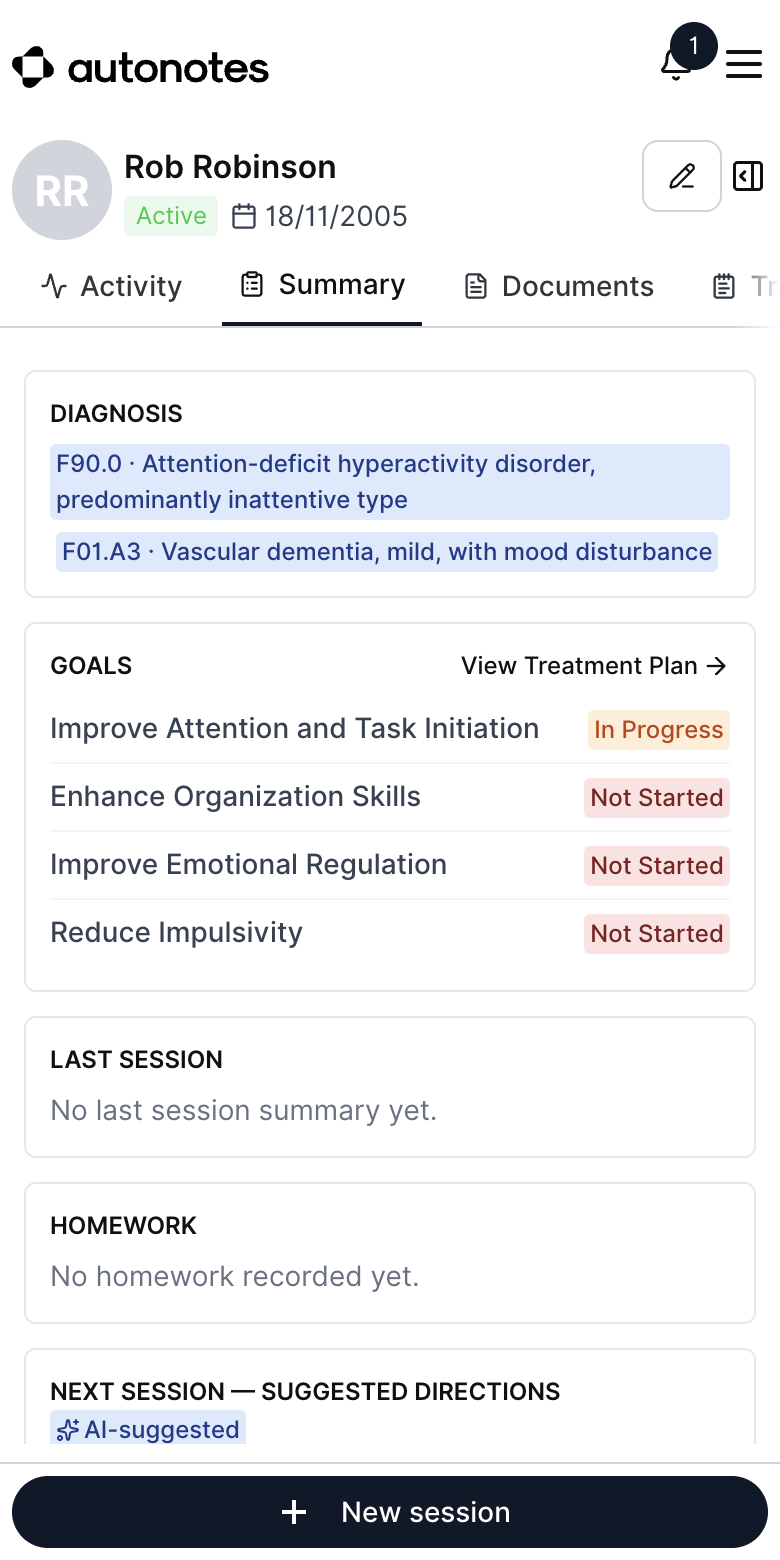
Client chart
The whole client in one place: overview, activity, documents, treatment plans and forms.
Note view
Review, sign-off and invoice, on one screen.
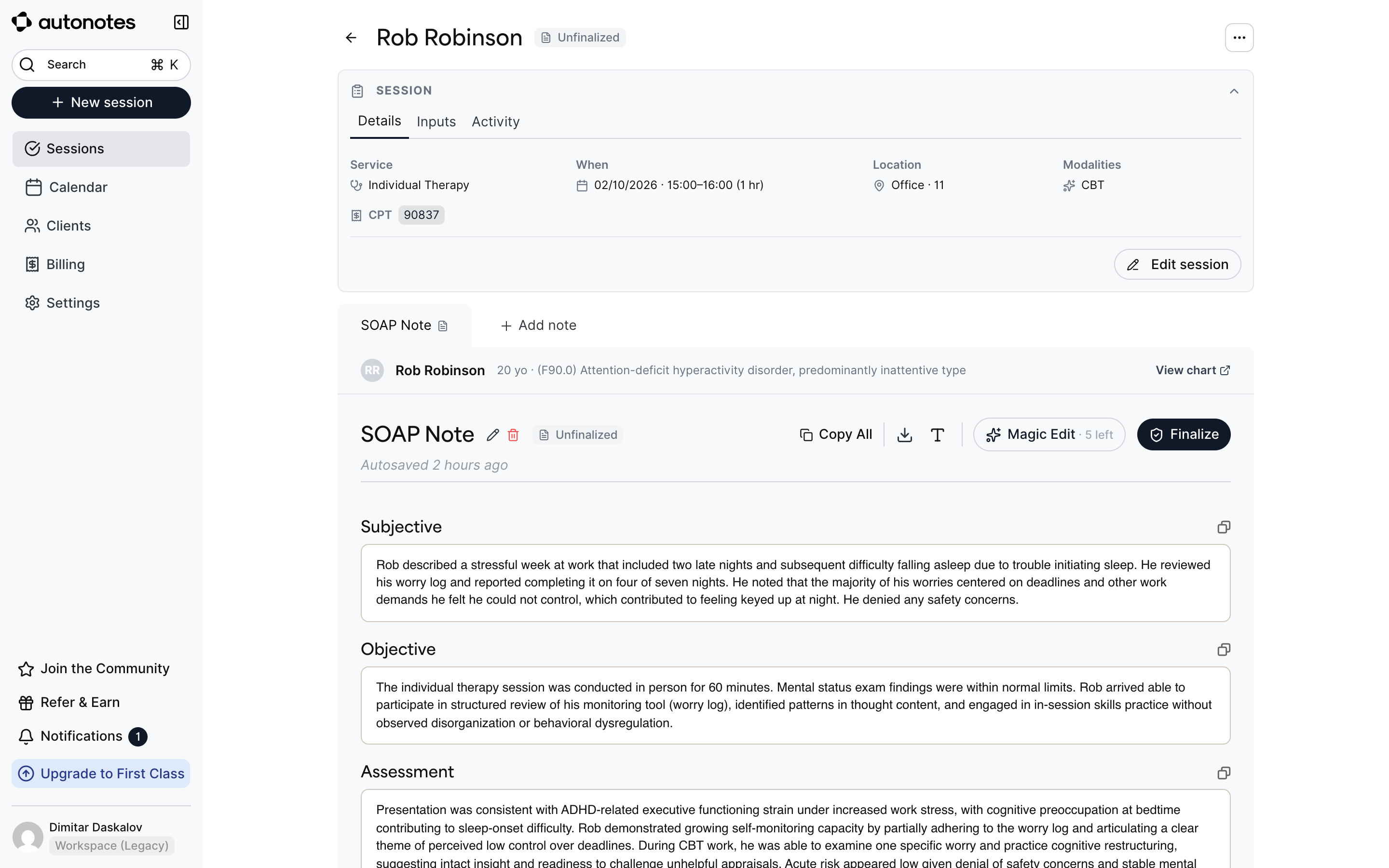
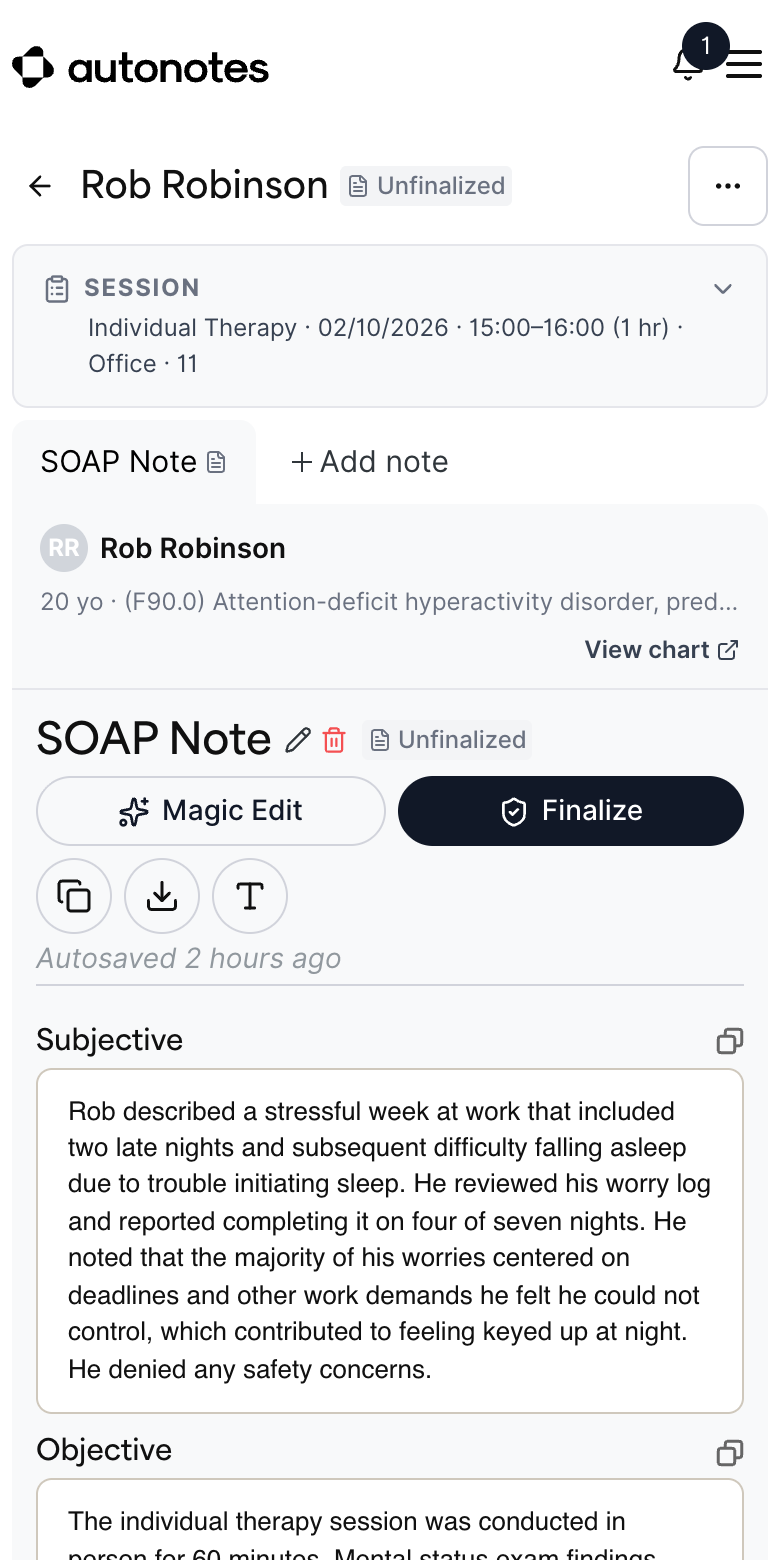
Composer
The whole session on one screen, on desktop and on a phone.
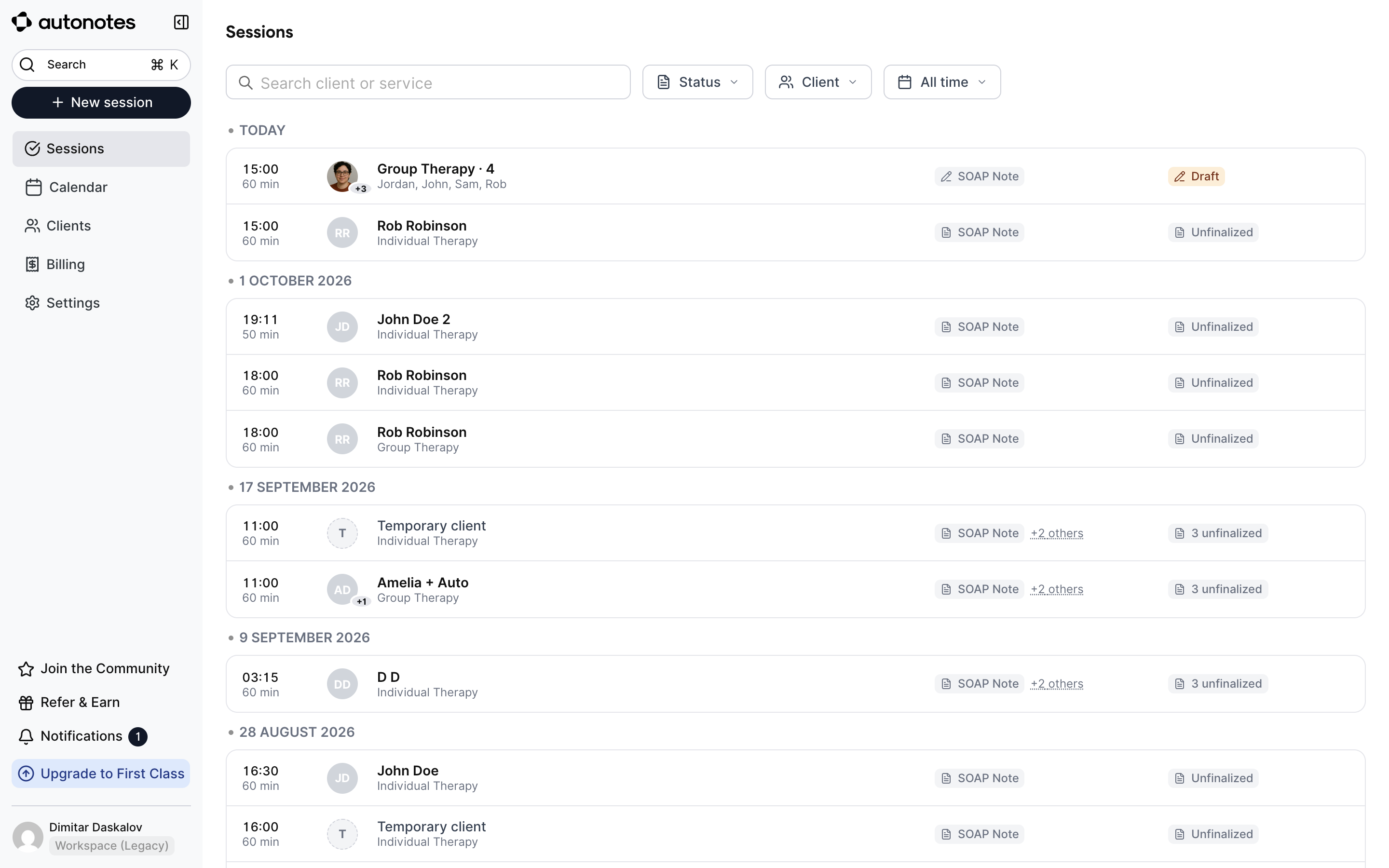
Sessions
One list, day groups, one status per session.
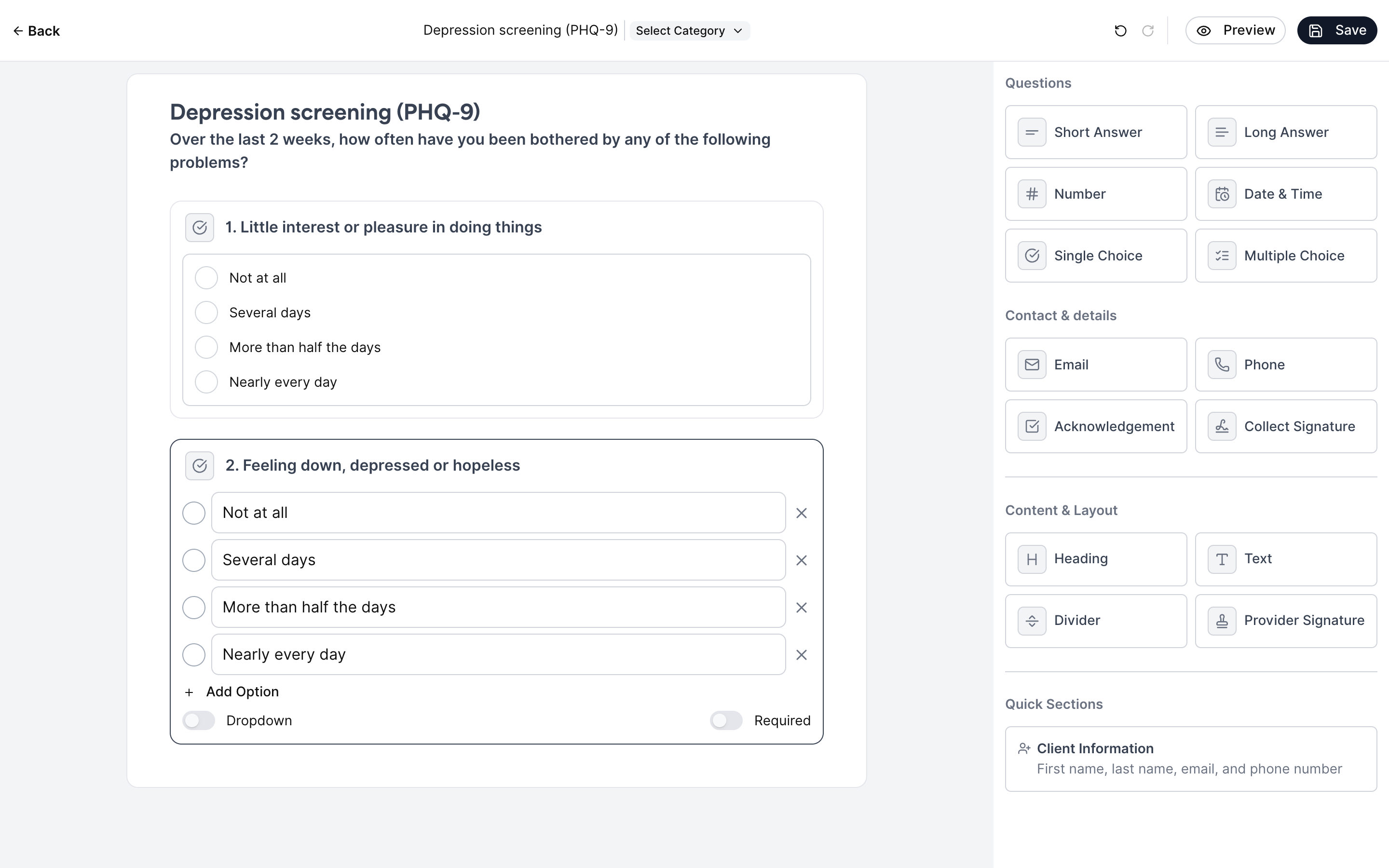
Forms & screenings
Build forms and scored screenings, send them as packets, schedule them to repeat.
Calendar
Scheduling built into the practice. Shown as designed, in Figma.